
Shifts and templates
Assign employees manually and handle schedule requests
Make a manual assignment safely, review any warnings, and handle employee schedule requests from Actions.
1. Assign, remove or clear employees
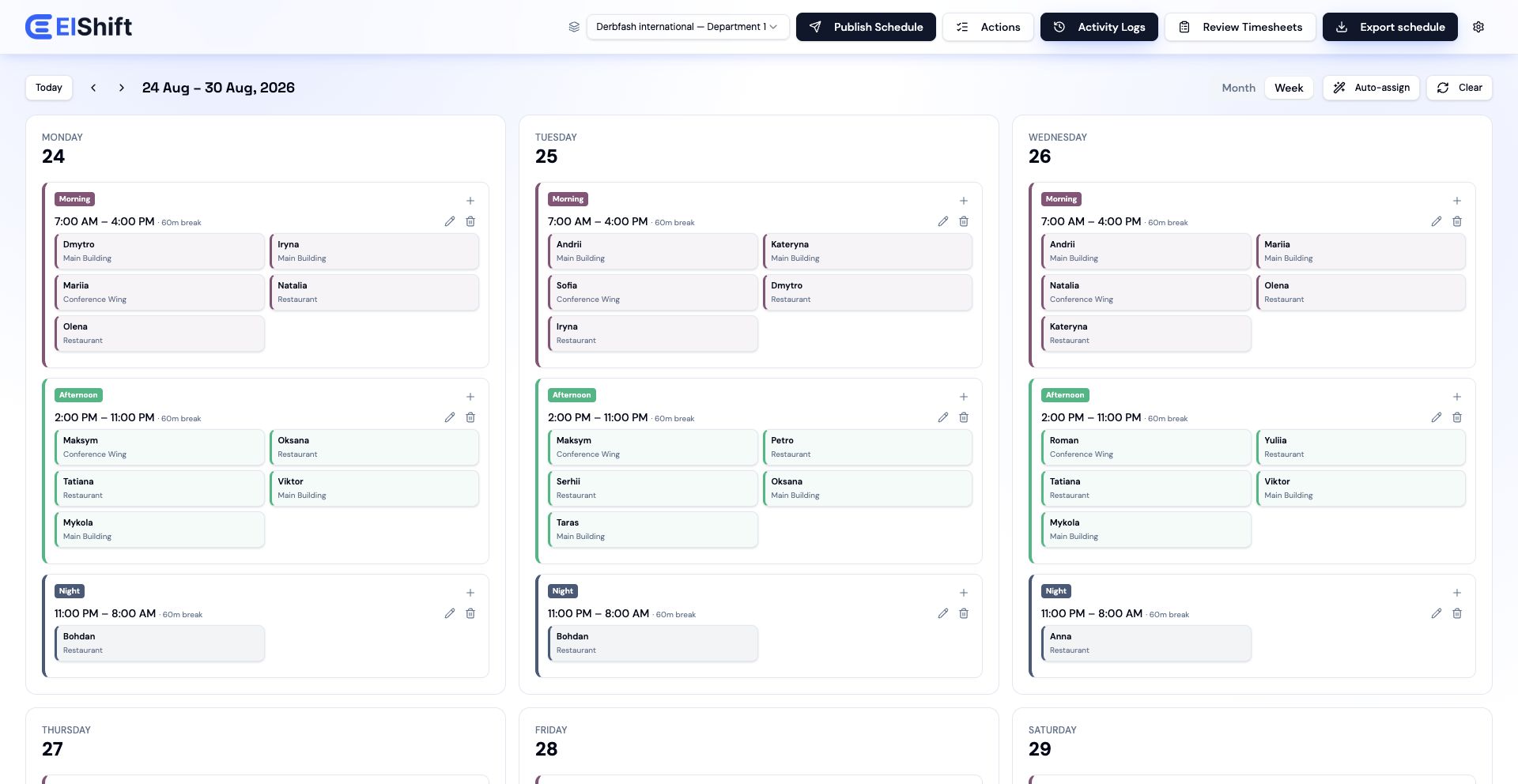
Open the weekly schedule and use the controls on the shift. You can add an employee, remove one person, or clear the assignments without deleting the shift itself.
Before saving a manual change, ElShift checks whether the change would create a serious scheduling conflict. If it would, the change is blocked so you can correct the schedule first.
2. Review warnings before you continue
Some changes are allowed but still deserve attention, for example a rest or hours warning. ElShift shows the warning before saving so you can either cancel or continue deliberately.
If you continue, the manual override is recorded in the activity history.
A warning can be confirmed. A serious scheduling conflict cannot be bypassed from this confirmation.
3. Set the assignment location
When Locations is enabled, check the location saved on the employee's shift assignment. That is the location used for coverage on that shift.
The employee's location preferences affect where Auto-Assign may place them, but they do not replace the location saved on the actual assignment.
4. Handle employee schedule-change requests
Open Actions to review requests from Employee Hub or the mobile app. If you approve Cannot work, Different time or Different day, ElShift applies the approved change to the schedule and republishes the affected employee schedule.
An approved Cannot work request also keeps that employee unavailable on the affected date, so Auto-Assign does not place them straight back onto work that was just approved off.
A Scheduling issue request is different because it may not describe one exact replacement shift. Review the request, then edit and publish the schedule yourself if a schedule change is needed.
5. Approve a shift swap
A colleague accepting a swap does not finish the process. The manager still approves or rejects it in Actions.
When you approve the swap, ElShift updates the assignment and republishes the affected employee schedule. Check the date afterward if locations or other staffing rules matter.
6. Keep attendance separate
Changing a planned shift does not create a clock-in, clock-out or break record. Attendance continues to reflect what the employee actually recorded.
7. Choose manager notification channels explicitly
In Actions, Manager notification preferences lets you choose In-app and Email separately for shift-change requests, swaps awaiting manager review, attendance clock-ins and attendance clock-outs.
Manager email delivery is explicit opt-in. An Email box must be selected and the preferences saved before that event type is eligible for manager email delivery; an old or missing preference is not treated as consent to email.
Turning Email off does not disable the corresponding In-app notification when In-app remains selected.